What is an Event App?
Everything attendees need, in one event app
Read moreRun agenda, networking, push notifications, sponsor visibility, lead capture, polls, Q&A, and attendee engagement in one branded mobile event app.
See Event App Demo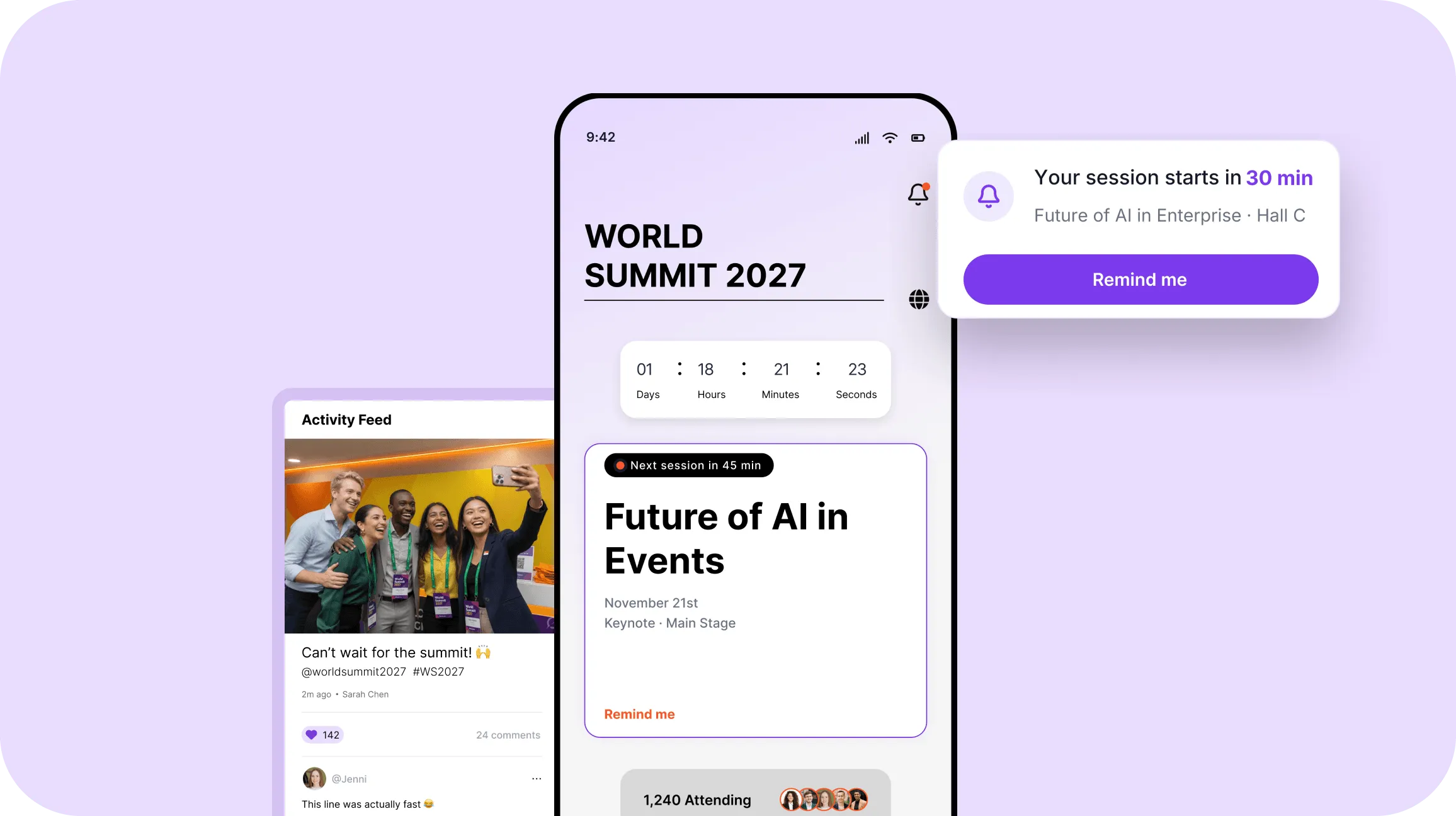
Thanks for this great event app. I ❤️ having all the info I need right at my fingertips! I also feeling connected with people I haven’t even met yet through the social wall posts. This is truly a great experience!

Director, Global Human Resources - Amazon

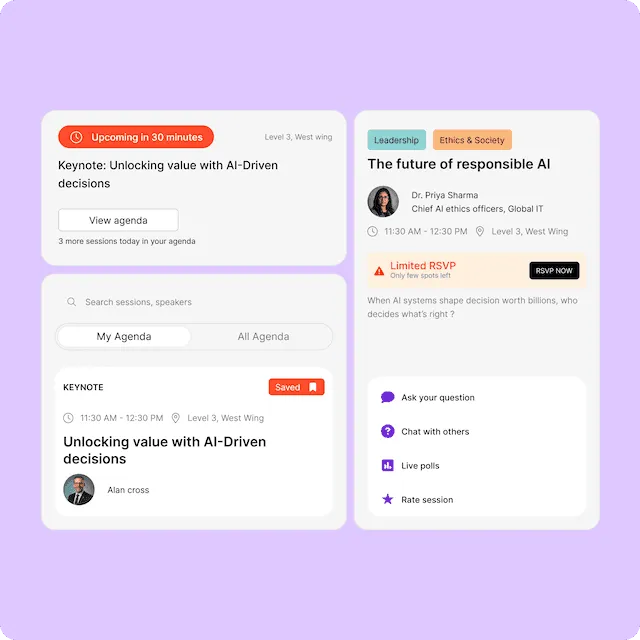
Plan parallel sessions with multiple tracks
Create FOMO or control attendance per session
Attendees can RSVP to sessions of interest, creating personal agendas.
Automatic timely reminders sent as app notification
Active participation through Live Q&A, polls, in-app chat, and ratings.
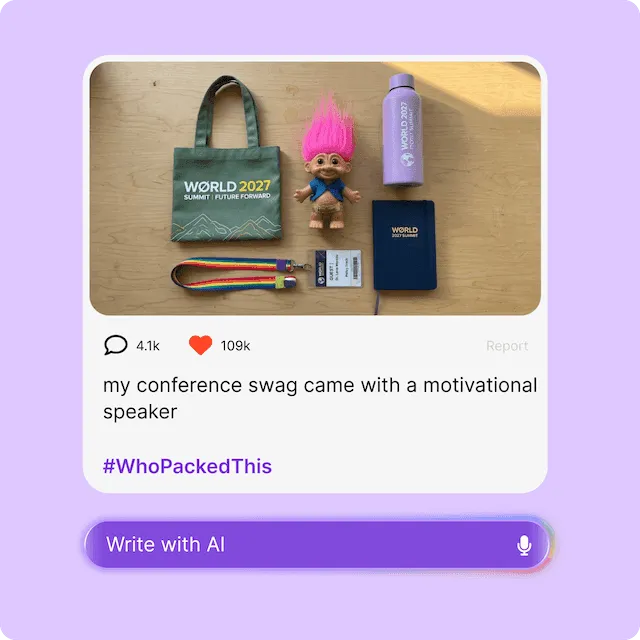
Social hub for photos, videos, likes, comments, #tag, and @mention
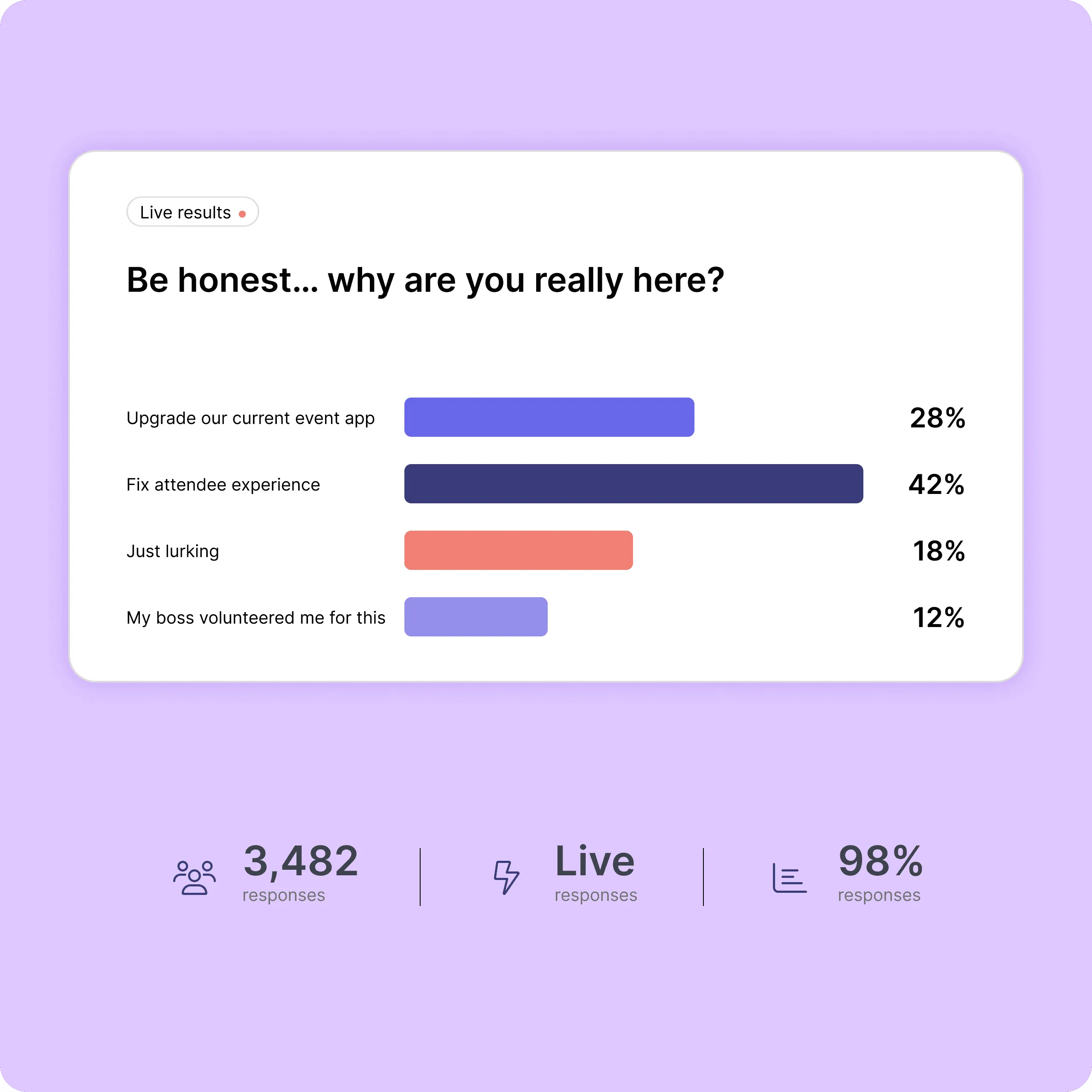
Industry-first image polls with live result projection
Real-time questions to speakers, with upvotes and moderation
Live word cloud poll game with large screen projections
Gain insights with customisable survey forms
Personalise notifications for each attendee
Capture attention with striking photos, videos or gifs
Target notifications to specific attendee segments
Plan and schedule your notifications ahead of time
Gain insights into interactions of event app notifications.
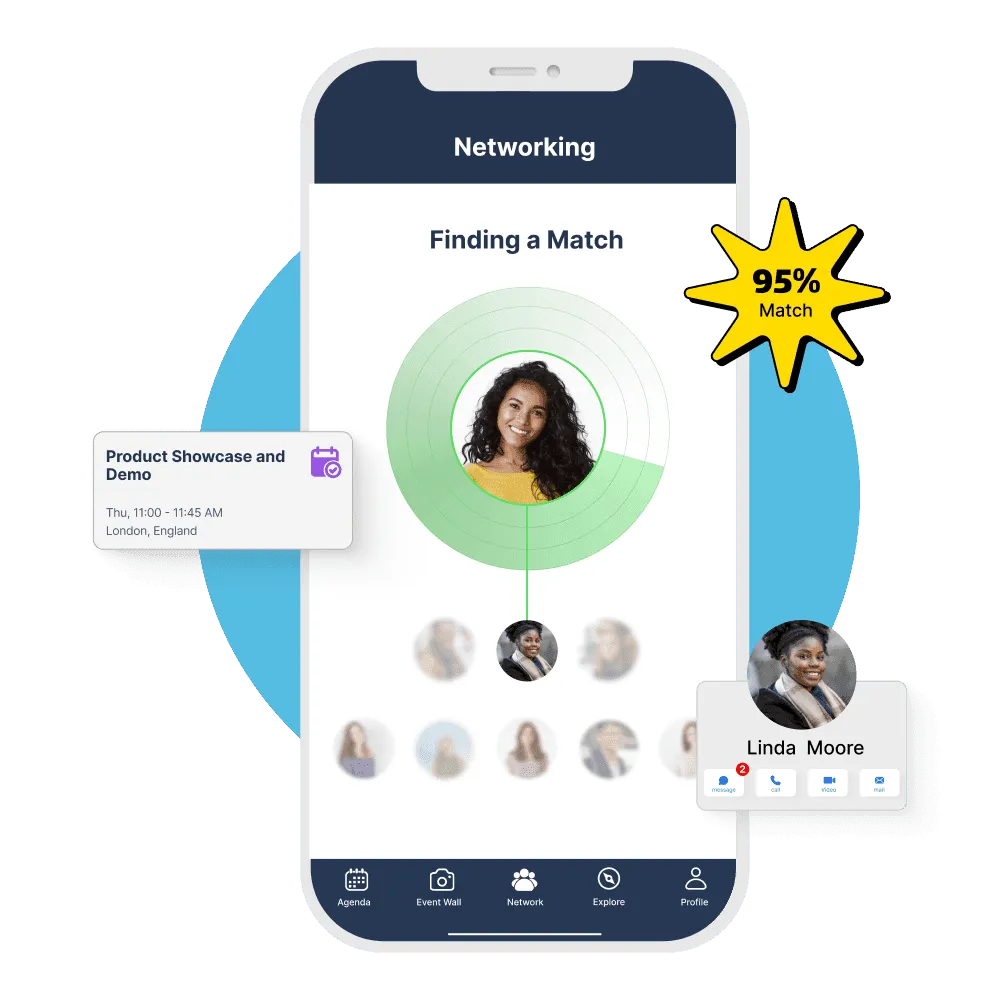
AI powered networking engine that finds perfect matches
Create groups, DM or scan QR-code to make connections
Book one-on-one meetings with optional video calling
One-on-one meetings setup by AI matchmaking or offline
Video networking tables based on interests or topics.
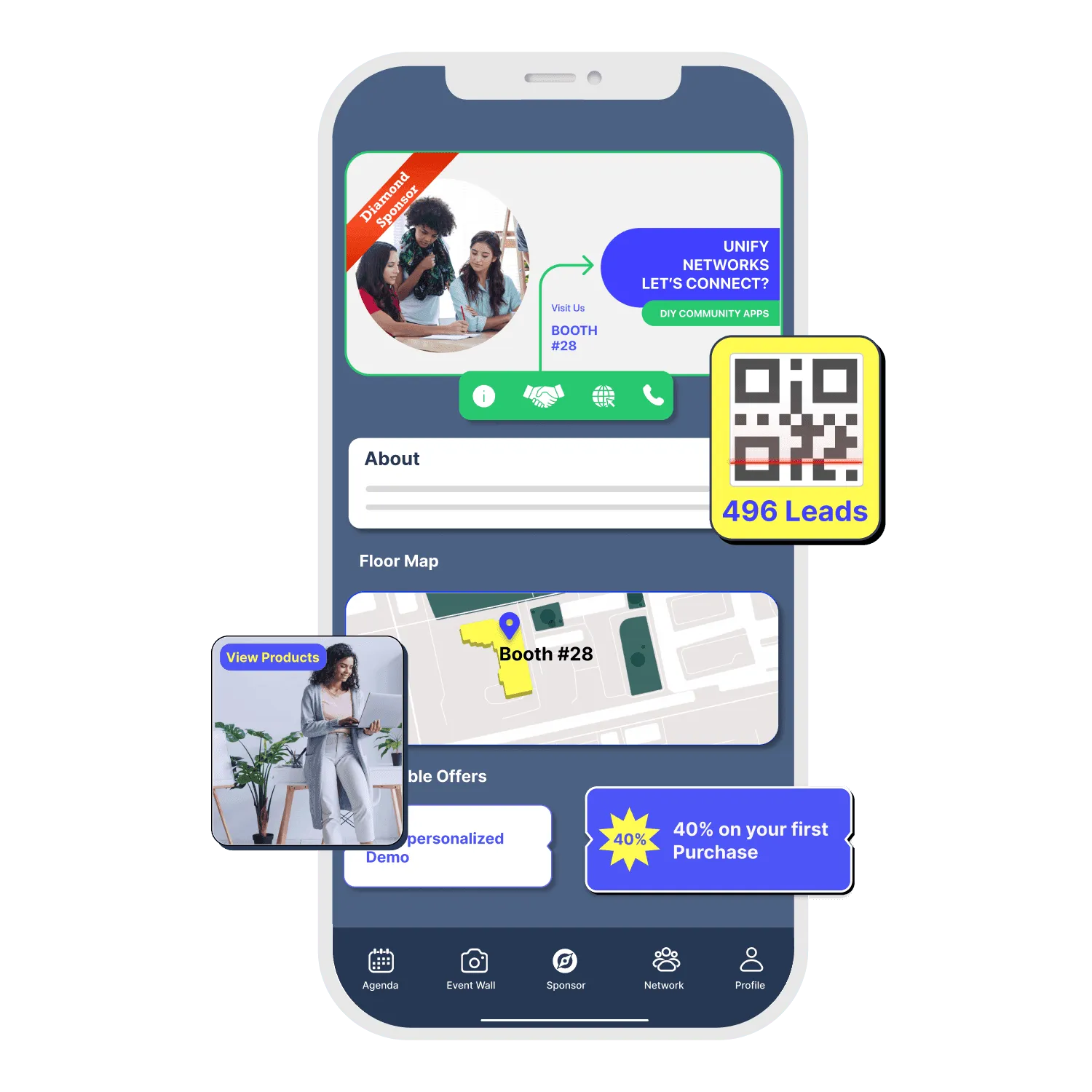
Exclusive content rich profiles inside the event app
Sponsored spaces across the event app
Lead retrieval with built-in QR code scanner with export
Floor map for navigation and locating exhibitors
Virtual booths with PDF, images, video, and meeting rooms.

Parallel tracks, rooms and session caps in one personal schedule
Photo, bio and sessions for every speaker, linked from the agenda
Profiles, sponsored spots and a built-in lead scanner
Upvoted questions and live results on the big screen
Attendees can open the agenda and sessions they viewed before without a connection
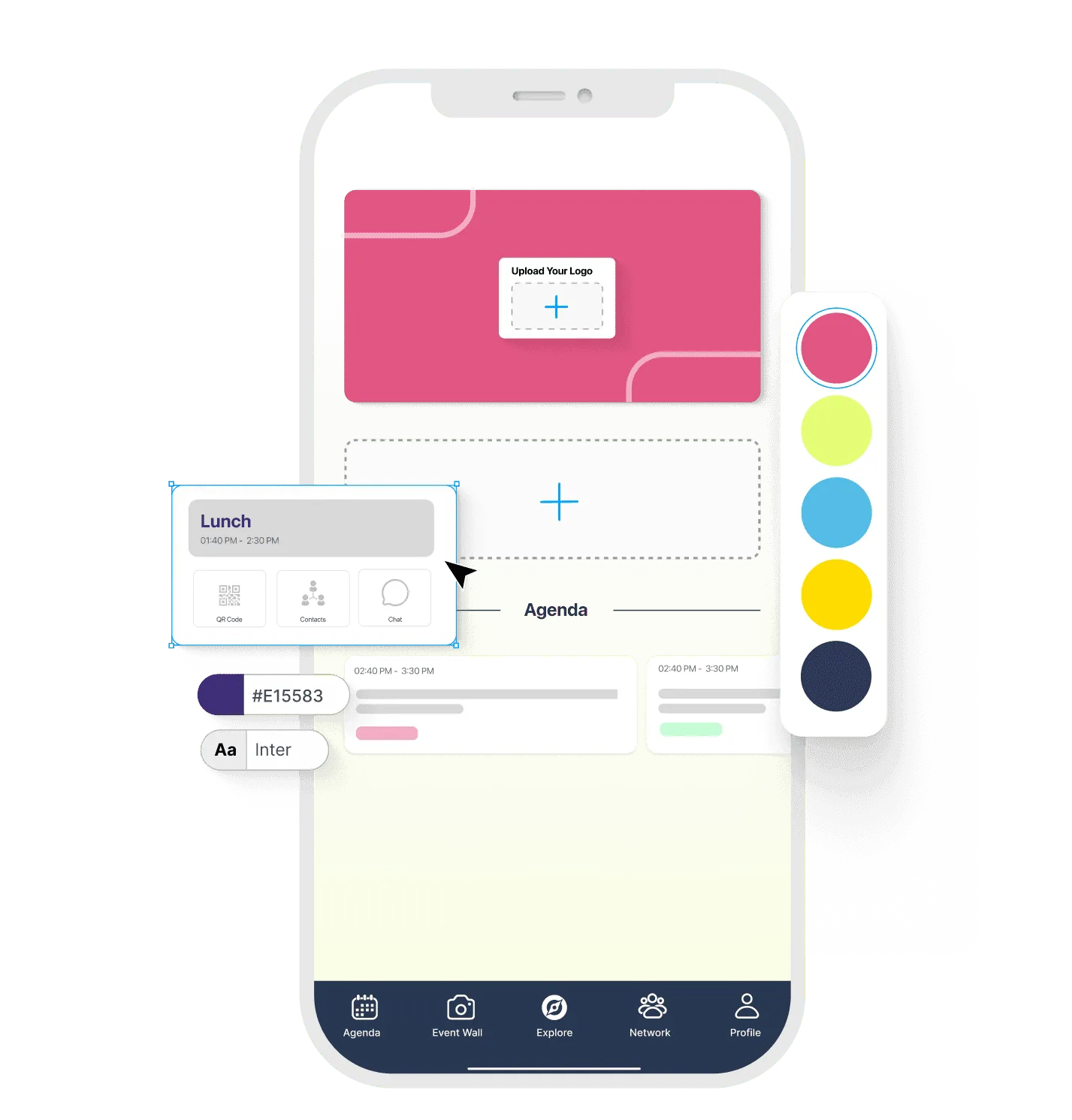
Customize backgrounds, colors and images
Upload your event logo and theme in the intro screens
Customize app navigation, hide, rename, and reorder features
Upload content using manual upload, excel, or Nunify API
Attendees can download your event app directly from app stores.

Attendees save sessions and get a reminder before each one starts
AI matchmaking, chat, QR contact exchange and 1:1 meeting booking
Ask questions, vote and see results from their seat
Attendees sign in with their registered email and a one-time PIN. No password to remember.
Download the app or open it in a browser, no download needed
• Branded event app for web, iOS, and Android • Agenda, networking, polls, Q&A, and notifications • Sponsor and exhibitor visibility with lead capture • White-label options and enterprise security • Fast setup with hands-on support


Event app plans start at $99/mo, with a free 15-day trial and no credit card. See how Nunify fits your event format, branding needs and launch timeline.
We have the most stringent data security and privacy in place.


Nunify's event management system has powered over 2500 events and is trusted by big brands and global enterprises. With security and compliance at the core, and enterprise level support, Nunify is built for enterprise events.
Your enterprise event can now be completely yours. Nunify's white label capability lets you publish native event apps on your own Apple App Store and Google Play Store accounts.
Need help in setting up and managing event technology? Do not worry! Our helpful support team will be present and help you through every step of the process.
Nunify's platform is GDPR compliant and implements industry standard encryption, server management, security and data storage practices. Your data is safe with us.
Choose your features, brand the app, upload agenda and attendee data, preview everything, and launch on web, iOS, Android, or inside Nunify’s event app container.
See the step-by-step guideAn event app helps attendees access agendas, speakers, networking, exhibitor information, live polls, Q&A, maps, and notifications from one place.
A good event app should include agenda, speaker profiles, attendee networking, push notifications, polls, Q&A, sponsor visibility, exhibitor listings, lead capture, and analytics. See the full list of event app features.
Yes. Nunify supports branded event app experiences, including white-label options for teams that want a more customized attendee experience.
Yes. Nunify’s event app is built for conferences, corporate events, trade shows, and hybrid events. To weigh the options, compare event apps side by side.
Yes. Sponsors and exhibitors can increase visibility inside the event app and capture leads during the event.
Yes. Nunify supports event app experiences across web, iOS, and Android.
Inside the Nunify event app, your event is live the moment you hit publish. A white label app under your own name takes at least 2 weeks after you send the assets, plus App Store and Google Play review.
Yes. Attendees can connect, message, and engage with each other through built-in networking features. See how event networking works in Nunify.
Yes. You can try the Engage plan, which includes the event app, free for 15 days with no credit card. See Nunify pricing.
No. Attendees can open the event app in a browser on any device, or download it from the App Store or Google Play. They sign in with their registered email and a one-time PIN.
Yes. Organizers can manage the event app from their phone, so last-minute changes do not need a laptop.
Download the Nunify app from the App Store or Google Play, enter the event code TECHCONF, and see the agenda, networking and polls the way your attendees will.
See how Nunify helps teams launch event apps for conferences, trade shows, corporate events, and hybrid events.


